Buried Services: CAT and Genny Basics, PAS 128 Survey Levels and Why Strikes Still Happen
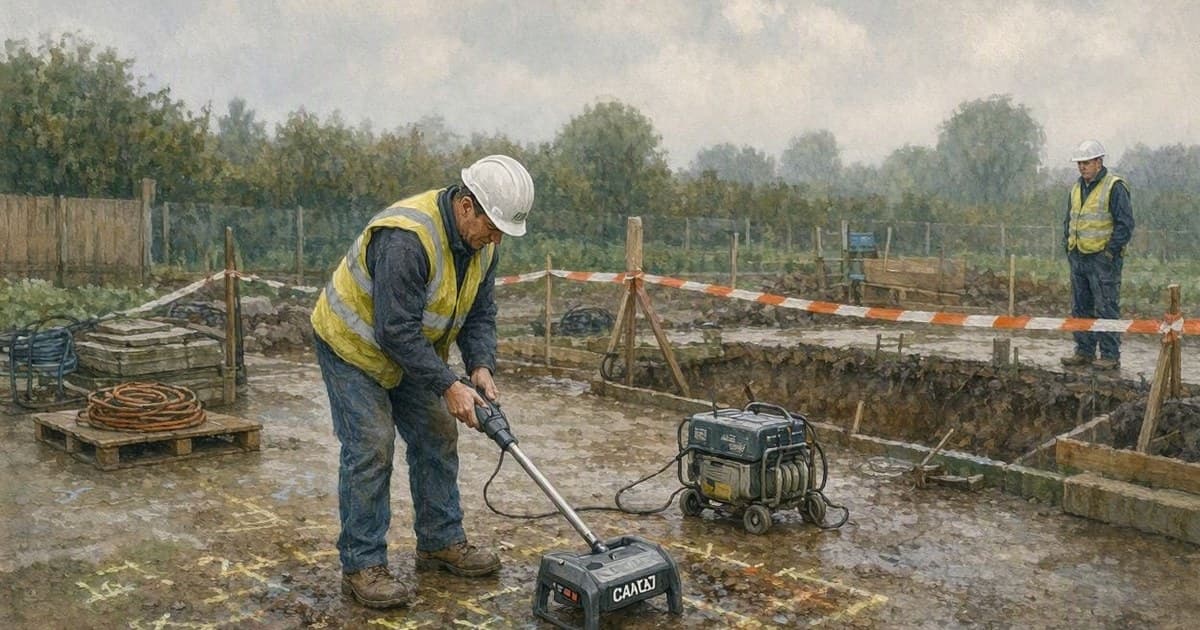
The Strike That Should Not Have Happened
Every service strike investigation I have ever read contains a sentence like "the area had been scanned prior to excavation." The CAT was on site, the operative was trained, the sticker was in date — and the digger still pulled up a live LV cable wrapped around a bucket tooth. Understanding why that keeps happening means understanding what a CAT can and cannot see, and what the drawings you are working from actually promise.
What a CAT Actually Detects
A Cable Avoidance Tool has three modes, and each one has blind spots. Power mode detects the electromagnetic field around cables carrying current — which means a cable with no load on it, a street light cable in the daytime, or a well-balanced three-phase supply can be nearly invisible. Radio mode picks up long-wave radio energy re-radiated by long metallic services; it works better on some orientations and depths than others and tells you nothing about plastic. Genny mode is the one that changes the game: the signal generator applies a traceable signal to a service, either by direct connection or induction, and the CAT tracks that specific line. Used properly with a genny, you can positively trace a known service. Used as a quick sweep in power and radio modes only, a CAT is a screening tool, not a clearance certificate.
And then there is everything a CAT will never find: plastic water and gas pipes with no tracer wire, clay drainage, fibre ducts, and anything too deep or too close to another stronger signal. HSG47, the HSE's guidance on avoiding danger from underground services, is blunt about this — locating devices reduce risk but do not eliminate it, which is why safe digging practice remains hand digging or vacuum excavation within the tolerance zone of any indicated service.
PAS 128 Survey Levels in Plain Terms
PAS 128 is the specification for underground utility detection, verification and location, and its quality levels tell you how much trust a drawing deserves. Level D is a desktop utility records search — the stat drawings, essentially, with all their legendary inaccuracy. Level C adds a site reconnaissance that reconciles records against visible street furniture like valve covers and marker posts. Level B is a detection survey using geophysical techniques — electromagnetic location and usually ground-penetrating radar — with the results assigned accuracy classifications. Level A is verification: the service is physically exposed, typically by vacuum excavation, and surveyed in its actual position and depth.
The practical use of this on site is simple: know what level of information you are digging against. Stat plans are level D. They are a starting point for a permit to dig, never a reason to skip scanning. If your project has commissioned a PAS 128 level B survey, the deliverable will state the techniques used and the confidence for each detected service — read that, because "detected in one direction only, depth unverified" appears on those drawings far more often than people notice.
The Permit to Dig Is a Process, Not a Signature
A permit to dig works when it forces four things to happen in order: current service drawings reviewed and on site, a scan of the actual excavation area by a trained operative with an in-calibration CAT and genny, trial holes or hand digging to positively locate anything indicated, and clear marking that survives the first rain shower. It fails when it becomes a Monday-morning paperwork exercise covering "the site" for a week. Ground conditions change, other contractors install new services, and the excavation that starts two metres from where it was planned is a different excavation. Re-scan when the dig moves, re-scan when it deepens, and treat any unexpected obstruction as a service until proven otherwise.
Habits That Actually Prevent Strikes
Scan little and often — before the dig and repeatedly as it progresses, because the CAT can only see so deep and every 300mm of dig brings new ground into range. Use the genny whenever there is anything to connect to; a sweep without it is half a survey. Respect the tolerance zone: no machine excavation within the safety margin of a located service, hand dig or vac-ex only, and no spiking or forking directly above a marked line. Mark services on the ground and on the permit sketch, and brief the machine operator directly — the person who most needs the information is in the cab, not in the office. Finally, record what you actually find. Every exposed service that does not match the drawings is intelligence for the next excavation, and a project that logs uncharted services builds itself a better drawing than any stat plan.
When a Strike Happens Anyway
Stop, keep everyone clear, and treat every struck cable as live and every struck pipe as pressurised until the owner confirms otherwise. Damaged services get reported to the owner even when the damage looks cosmetic — nicked sheathing on an HV cable can fail weeks later with someone else standing over it. And the investigation should look past the operative to the system: what did the permit say, what level of survey information existed, was the genny used, when was the last re-scan? Strikes are almost never a one-person failure.
Build Better Sites with Our Templates
The templates and systems discussed in this article can save your team hours every week. Explore our full product range to find tools that match your workflow.
Explore Products